Grade smarter. Teach more.
Scan paper tests with your phone, auto-grade in seconds, and sync to your LMS — so you can spend evenings on lesson planning, not grading stacks.
100 free scans. No credit card required.

Built for the classroom reality
Designed around how teachers actually work — not how software companies imagine you work.
Grade a class in under a minute
Scan bubble sheets with your phone. Results appear before students finish packing up.
No extra hardware
Use the device in your pocket. No scantron machine, no expensive scanner, no special paper.
Works with your LMS
Sync grades directly to Canvas, Google Classroom, Blackboard, Brightspace, Moodle, or Schoology — no manual entry.
Your phone is the grading machine
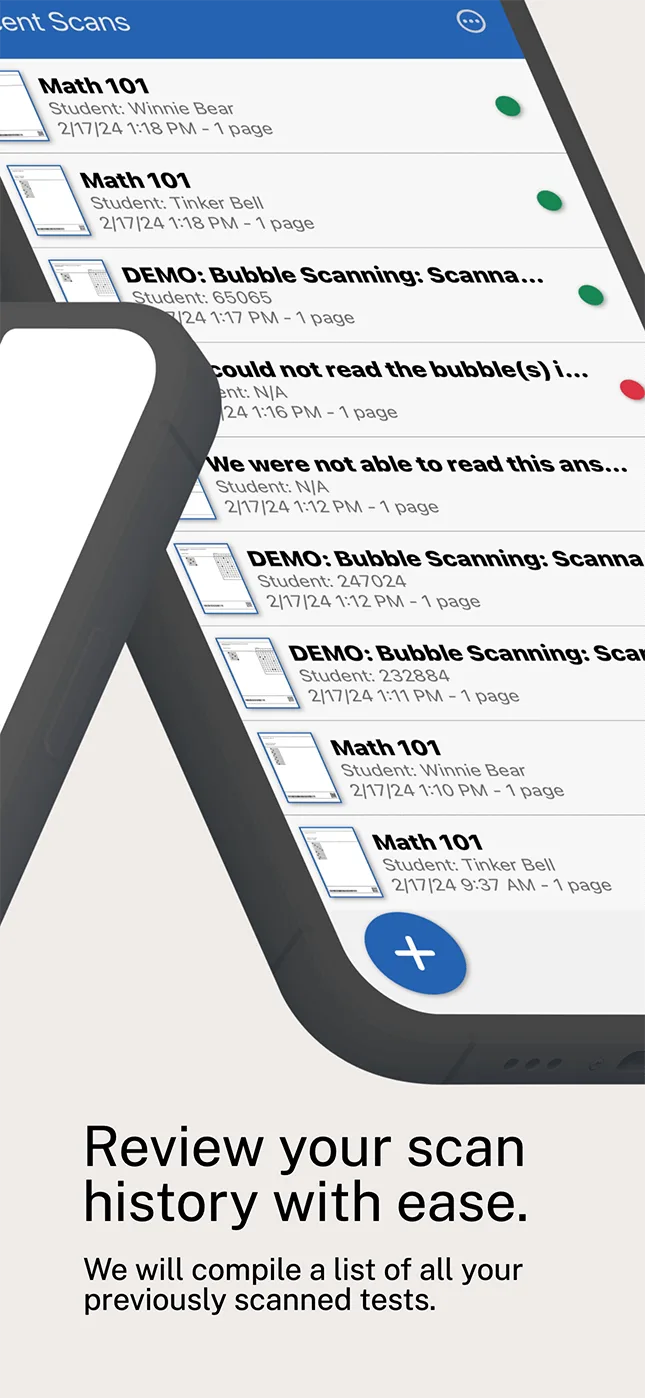
No dedicated scanner. No scantron machine. The free PaperScorer mobile app — on iOS and Android — scans an entire class of sheets in about a minute. If your school is still running one, see how PaperScorer works as a Scantron alternative.
- 2 seconds per sheet with auto-detection
- Continuous scan mode for stacks
- Works under any classroom lighting
- Scans upload automatically for grading
Syncs with your LMS automatically
Once connected, grades flow from PaperScorer to your gradebook in seconds. No CSV exports, no copy-paste.






Free to start, affordable to scale
Start with 100 free scans — enough to try PaperScorer across a few classes. When you need more, Pro is just $25/year for unlimited scanning.
Common questions from teachers
Is it really free?
Can I use it with my phone?
Does it work with Google Classroom / Canvas?
How long does setup take?
Can I use my existing paper tests?
Try it with your next quiz
Create a free account, print your first answer sheet, and scan a real test. If you don't love the workflow, you're out 5 minutes.
Create Free Account